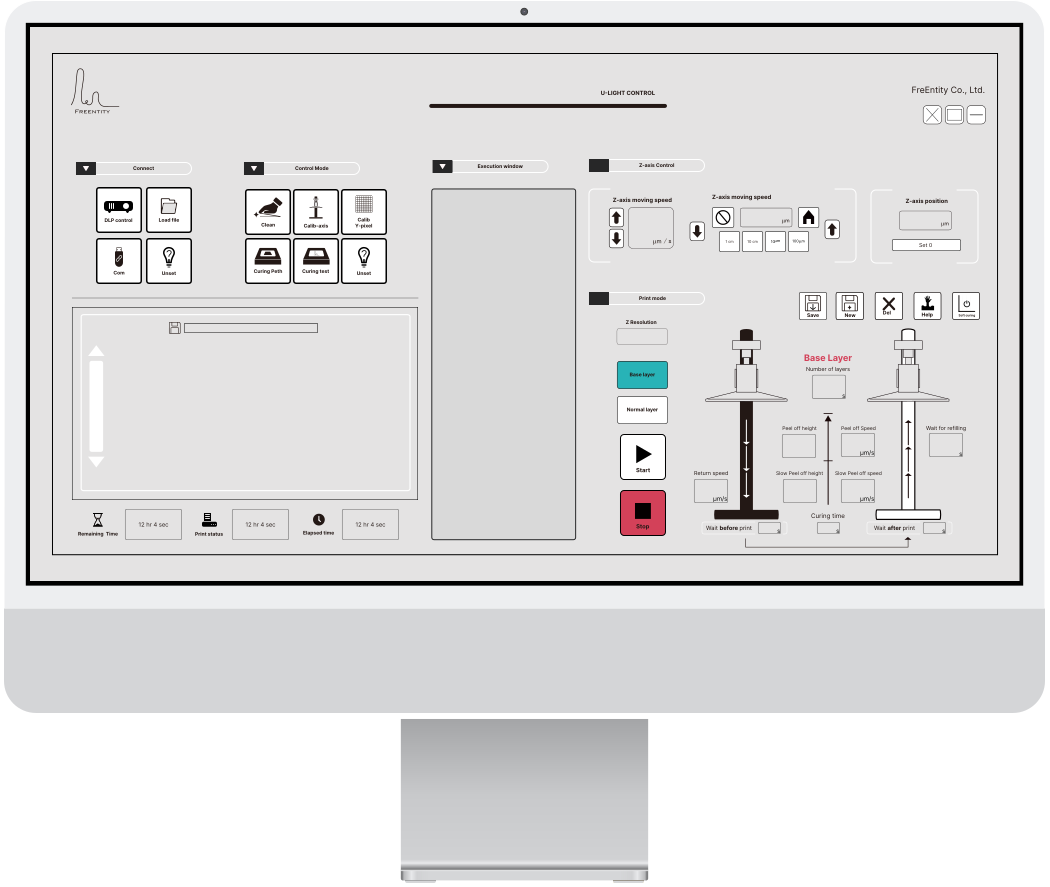

HMI Interface
U-Light's user interface design focuses on reducing human error, On increasing the probability of printing success. Therefore, optimizing the setting process and making the setting more intuitive is the design goal we aim to achieve.
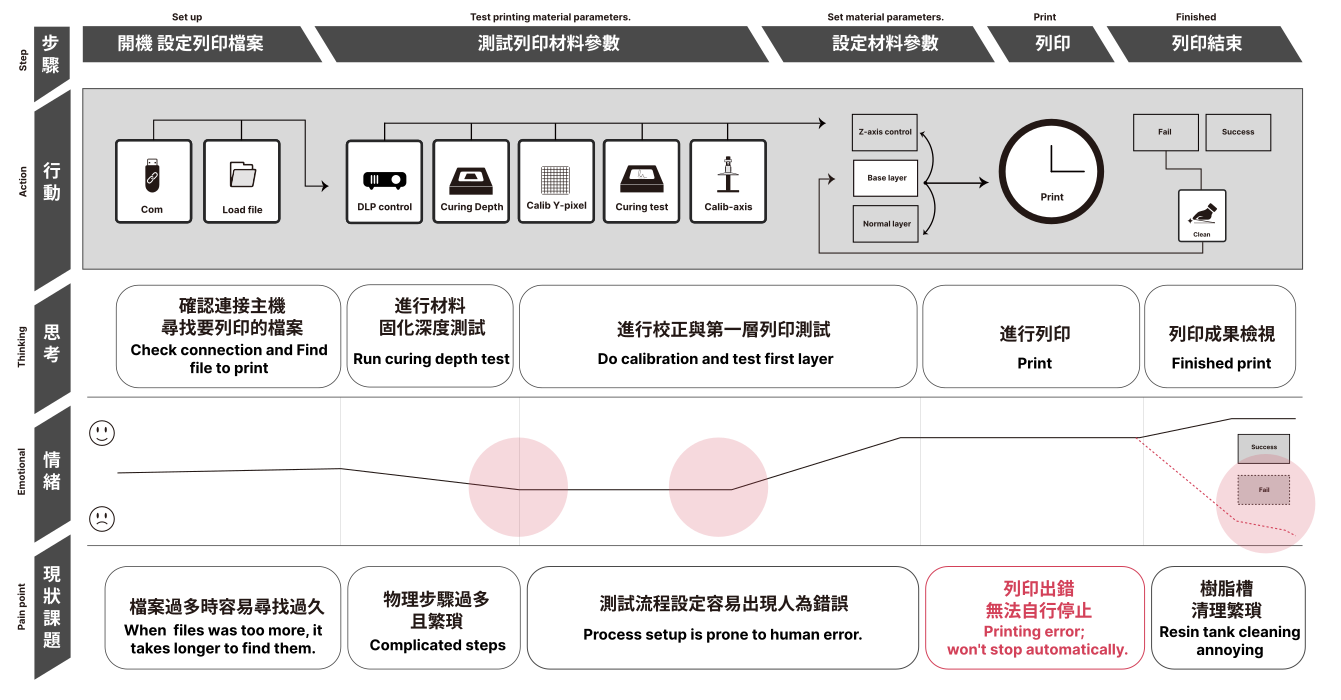
Based on 60 users, this chart analyzes pain points in 3D printing. Issues include difficulty finding files, complicated testing, error-prone setup, and no auto-stop after failures. The emotional curve shows frustration during early steps but recovery when prints succeed. Results suggest simplifying processes and minimizing errors are key to design improvement.
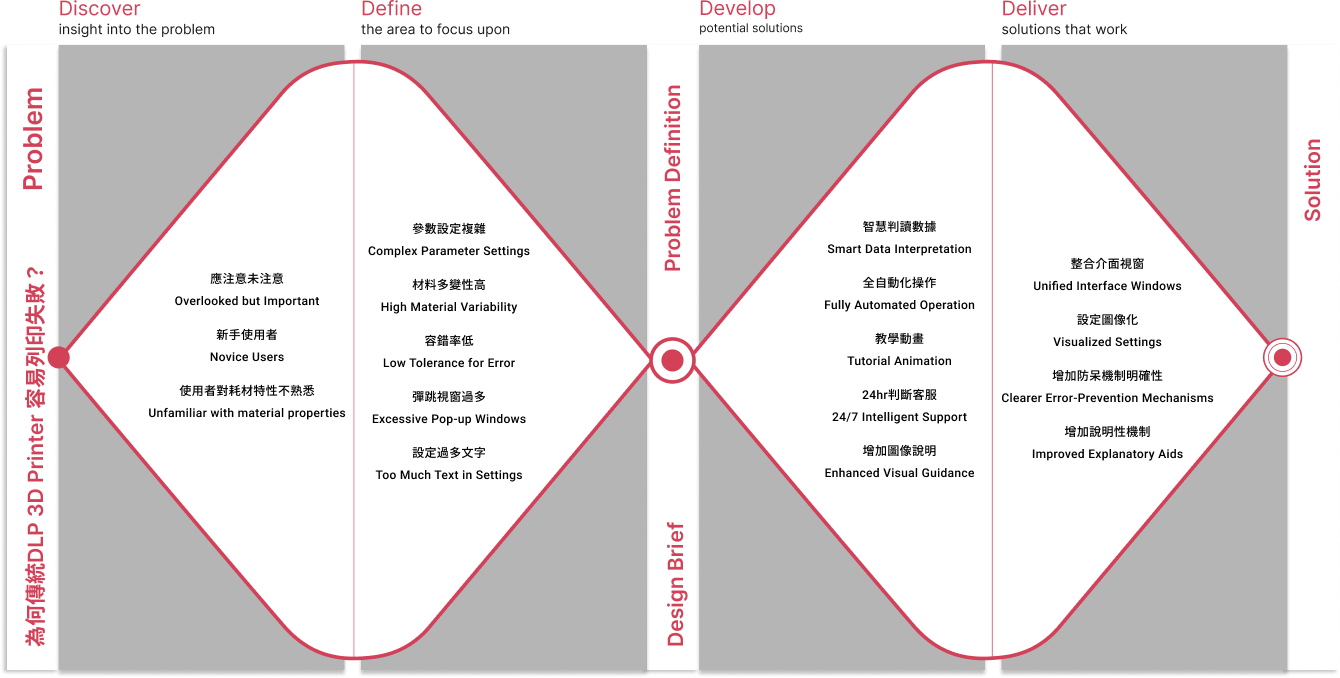
The Double Diamond analysis highlights trends: problems stem from complex parameters, material variability, high error rates, and overly text-heavy interfaces, which increase the learning curve. Solutions converge on automation, visualization, and smart detection, supported by tutorial animations and 24/7 assistance. The design trend points toward lowering cognitive load and enabling proactive error prevention.
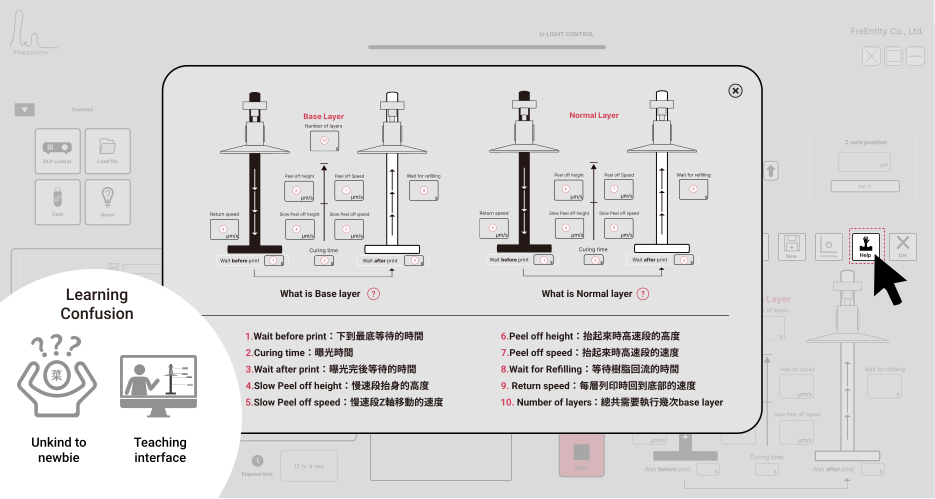
U-light is designed for schools and labs, often used by beginners. The interface was improved with visual guides and step-by-step logic to make 3D printing easier to learn and operate.
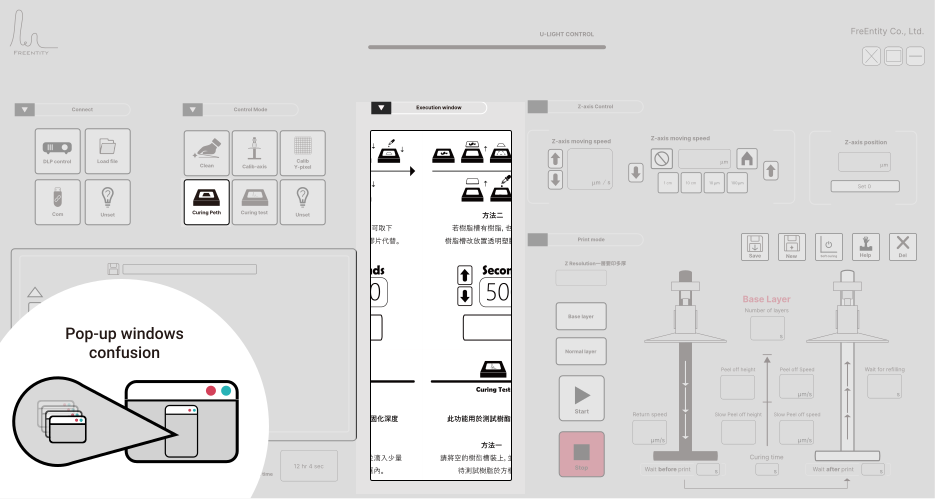
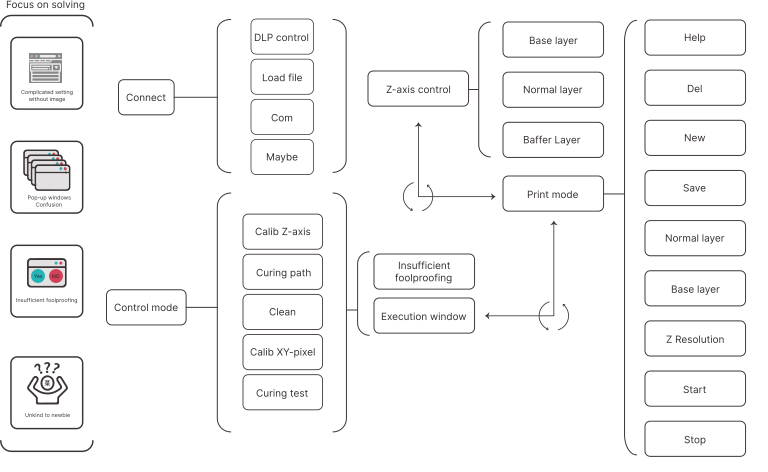
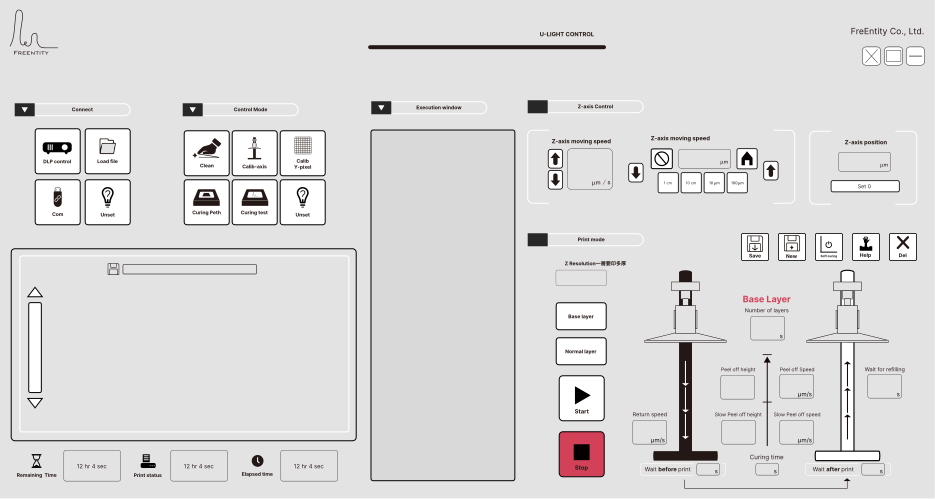
U-light offers more parameter settings and functions than typical 3D printers. Using multiple pop-up windows would make the interface too complex and confusing. To solve this, I introduced a central display panel where all pop-up information is integrated, making the interface clearer and easier to use.
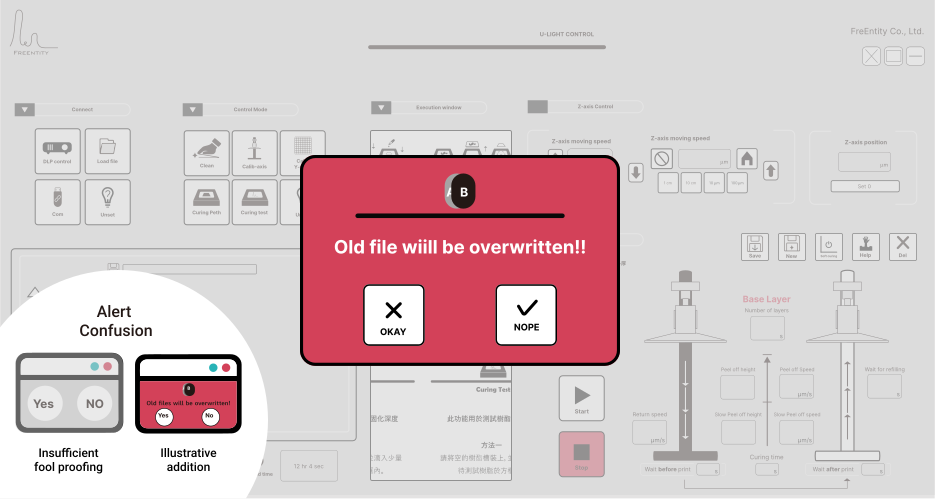
Most machines on the market lack foolproof design with visuals or clear explanations. To improve this, I added image-based prompts and clear messages in the interface, helping users avoid mistakes during operation.
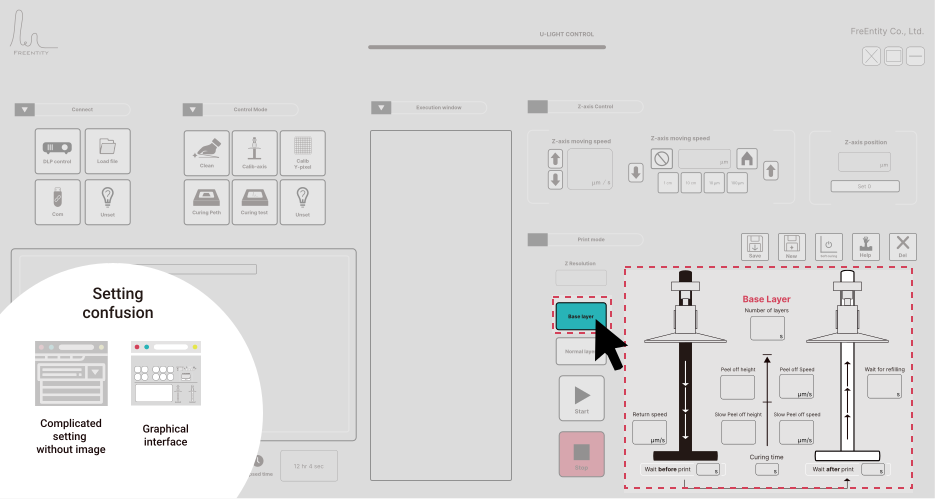
The DLP 3D printer requires precise yet complex parameter settings. To make this process easier, I designed a graphical interface that visualizes the printing logic, allowing users to adjust parameters more intuitively.
The left side shows common problems in traditional 3D printing: complicated setup, too many pop-ups, little error-proofing, and being unfriendly to beginners. The right side is Ulight’s system flow. By reorganizing the functions, the interface will use visual guides, fewer pop-ups, and stronger foolproofing to make printing easier and more beginner-friendly.
Design Benefits:
#Improved printing success rate by 80%
#Enabled the publication of 10 academic papers based on accumulated
data
#Provided built-in guidance so users can complete printing without
direct assistance
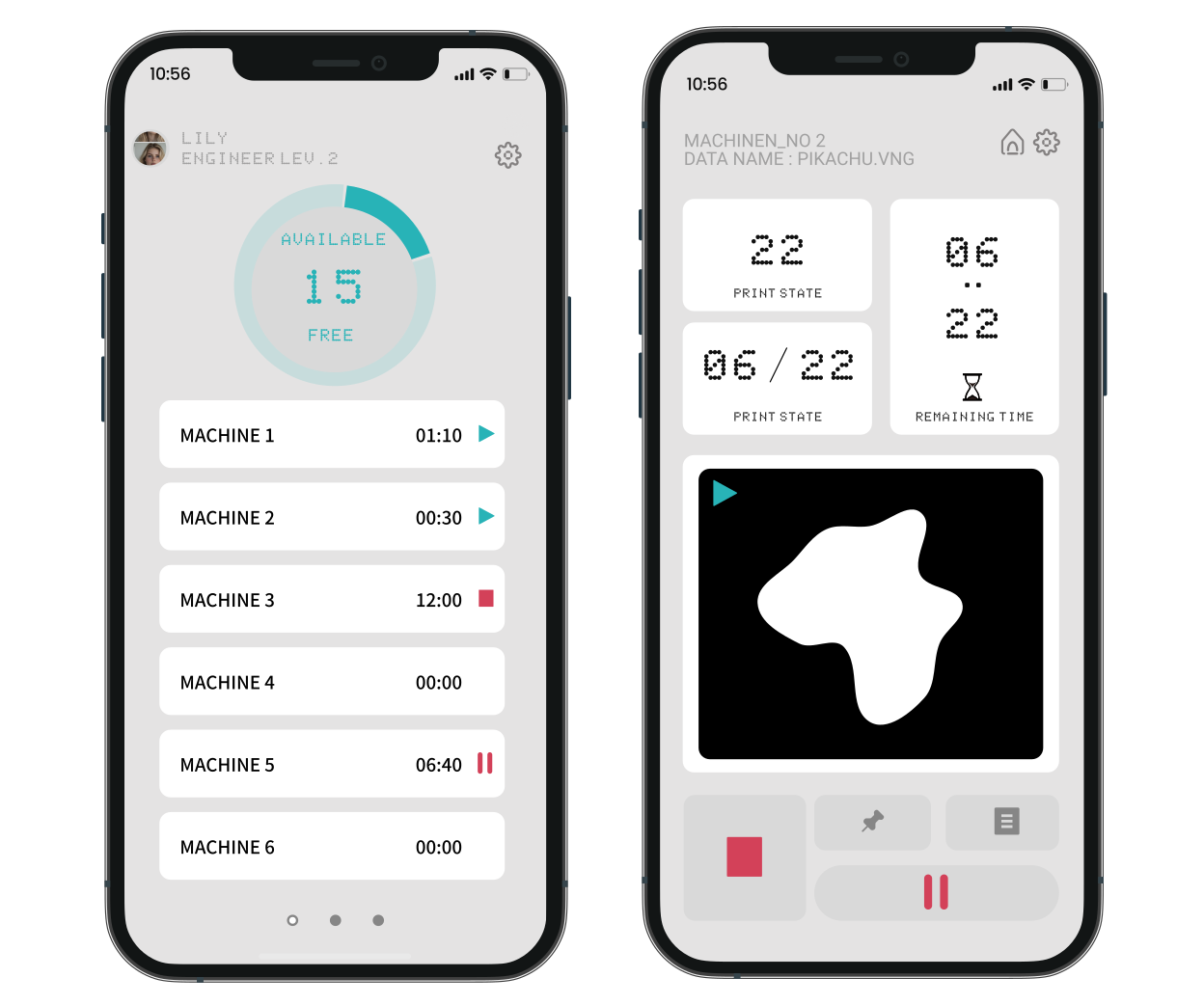
If you'd like to see how I extended the HMI experience to mobile,
the Ulight App showcases how users can monitor the print room from
their phone, remotely pause devices in real time, and manage
additional advanced functions through a refined information
architecture and interaction design
More about App